***What’s New***
Great News: FSA and DCAP are Going Paperless!
It’s faster, easier, and more secure! Submit your claims through the FSA/DCAP Participant Portal for faster processing, secure document uploads, and convenient claim tracking, all in one place. Log in today and simplify your FSA experience!
FSA
- 2026-27 plan year will begin on July 25, 2026, and will go through July 23, 2027
- The maximum employee contribution is $3,400 for the 2026-27 plan year
- The maximum amount eligible to be rolled over to the 2026-27 plan year has increased to $680
- 2025-26 plan year began on July 26, 2025, and will go through July 24, 2026
DCAP
- 2026 DCAP plan year began on January 1, 2026 and will end on December 31, 2026
How the Plans Work
San Bernardino County offers two flexible spending accounts (Health and Dependent Care) that provide tax-savings. FSAs allow employees to take a pre-tax deduction from their income to pay for eligible health and/or dependent care expenses. Employees are eligible to participate in the FSAs if they are covered under a Memorandum of Understanding, Compensation Plan, or Employment Contract.
Enrollment
Employees are eligible to enroll into the FSA and/or DCAP during:
- Open enrollment
- If the employee experiences a mid-year change-in-status event
Plan Year Periods
| FSA | DCAP |
|---|---|
| July 25, 2026 – July 23, 2027 | January 1, 2026 – December 31, 2026 |
Contributions & Roll Over
Below is the IRS maximum contribution amount for the FSAs and the County’s eligible roll.
- The maximum employee contribution is $3,400 for the 2026-27 plan year
- The maximum amount eligible to be rolled over to the 2026-27 plan year has increased to $680
Eligible employees elect an annual contribution amount to be placed in their FSA and/or DCAP account. The annual contribution is made via bi-weekly payroll deductions in equal installments throughout the year. Participants can access their FSA and/or DCAP contributions through the following ways:
- Using their FSA benefit card.
- Submitting a claim for approval (see “How to File a Claim” section)
Eligible Expenses:
Eligible health care expenses include:
- Coinsurance, Copays and Deductions
- Medical and Prescriptions
- Dental and Orthodontia
- Eye Exams, Eyeglasses and Lasik Eye Surgery
Eligible dependent care expenses include:
- Licensed nursery schools, qualified childcare centers, after school programs, summer camps, preschool
- Adult daycare facilities
How to file a claim
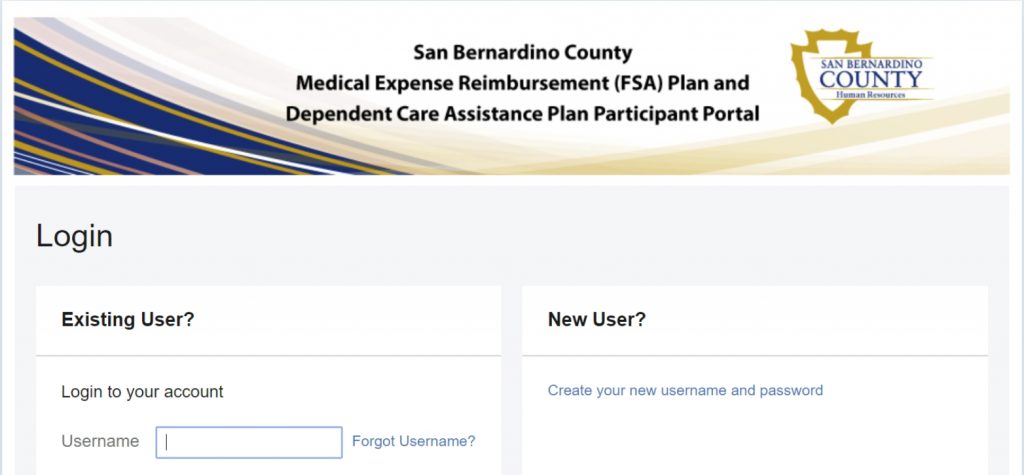
Step 1
Log into your FSA/DCAP Participant Portal.
Gather your supporting documentation, such as itemized receipts, then log into the FSA/DCAP Participant Portal to get started on your claim.
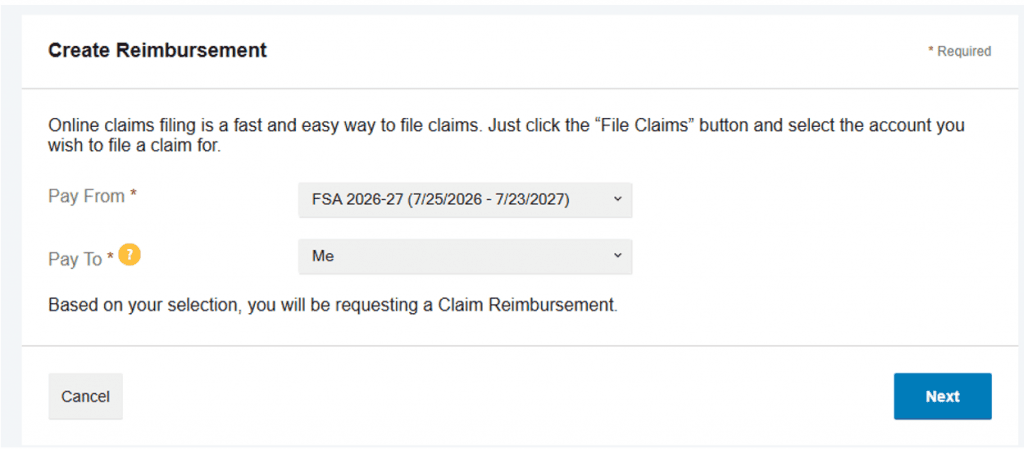
Step 2
Determine the type of claim you’re submitting, FSA or DCAP, then select the claim type on the FSA/DCAP Participant Portal to quickly create your reimbursement claim.
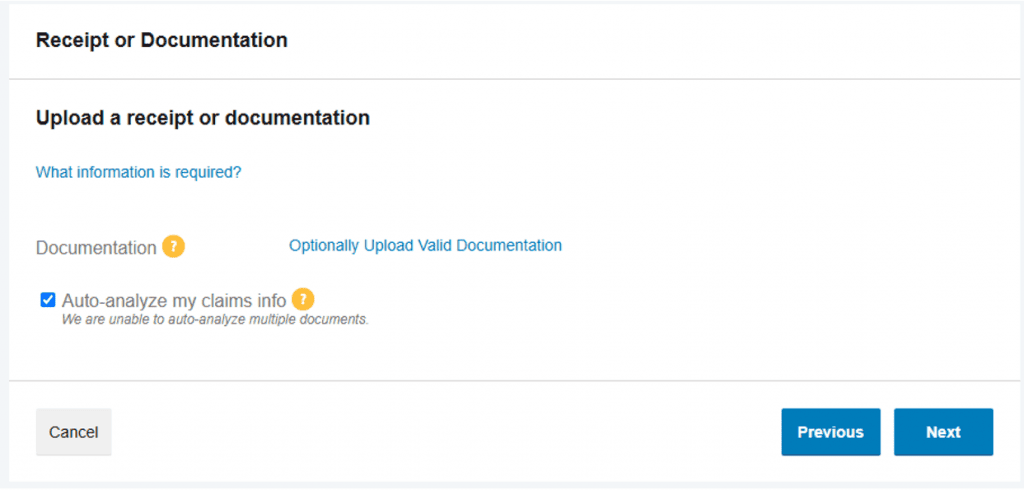
Step 3
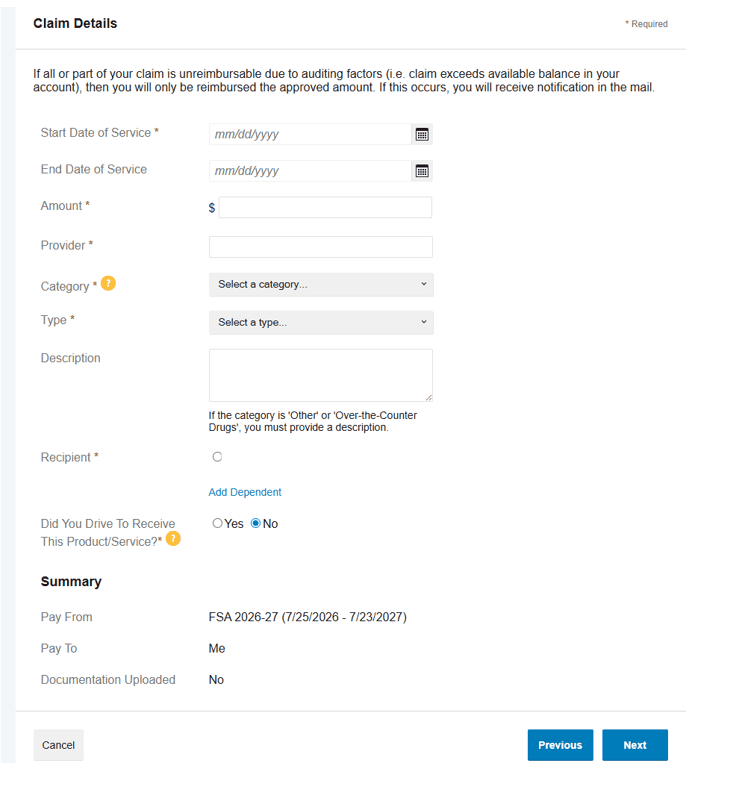
Upload all supporting documentation from the provider, vendor, or merchant, such as a receipt, statement, or bill, directly through the FSA/DCAP Participant Portal and enter the claim details.
FSA
Note: For mileage claims exceeding 30 miles one way (or 60 miles round trip), upload a map from an online source, such as Google Maps or MapQuest, showing the starting location, destination, and total miles traveled with your electronic claim.
Helpful Tip: Save frequently used routes for quick access when submitting future claims.
Your uploaded itemized statement must include the following information:
- Date of services/ products incurred
- Name of the person who the expense was incurred for
- Dollar amount being claimed
- Provider name
- Expense category
Helpful Tip: Before uploading, review your itemized statement to ensure all required information is clearly visible. Complete documentation helps prevent delays and allows your claim to be processed faster.
DCAP
Note: For mileage claims exceeding 30 miles one way (or 60 miles round trip), upload a map from an online source, such as Google Maps or MapQuest, showing the starting location, destination, and total miles traveled with your electronic claim.
Helpful Tip: Save frequently used routes for quick access when submitting future claims.
Your uploaded DCAP reimbursement documentation must include the following information:
- Name, date of birth, and relation of dependent
- Name, address, and taxpayer ID or social security number of dependent care provider
- Date(s) of services
- Amount claimed for reimbursement of dependent care expenses incurred.
Helpful Tip: You can use our DCAP Reimbursement Request Form and upload it directly on the FSA/DCAP Participant Portal when submitting your claim.
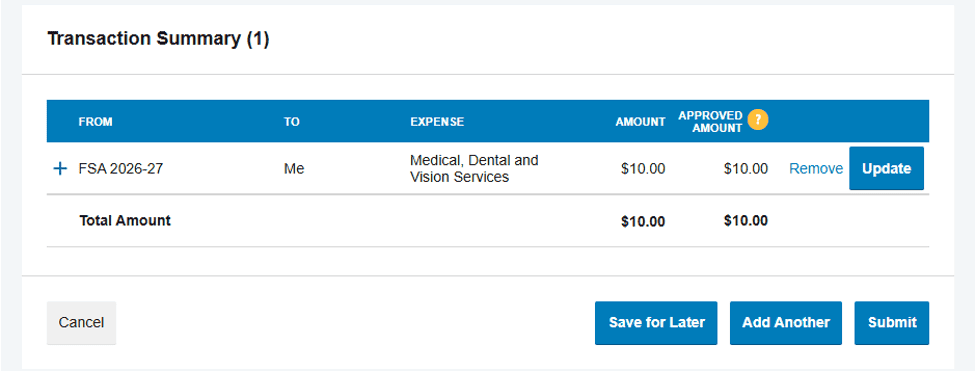
Step 4
Final Step, You’re Almost Done!
Submit your claim electronically through the FSA/DCAP Participant Portal, and you’re all set!
Note: Claims for eligible expenses incurred within the plan year can be submitted for reimbursement no later than ninety (90) days after the end of the plan year.